Photos that run to the edge, with no white slivers.
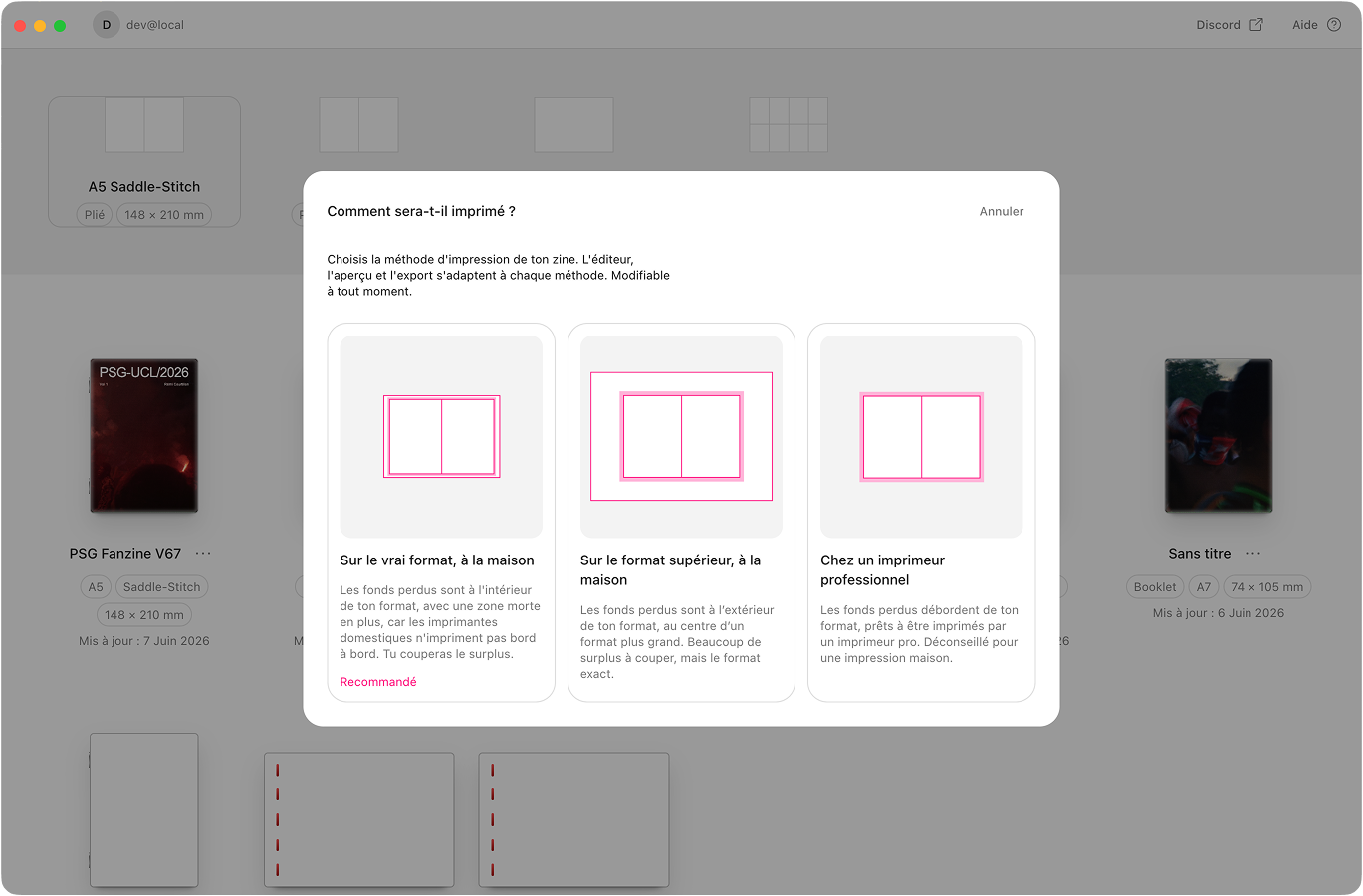
Bleed is the few millimetres of image that run past the trim, so nothing white shows when the paper is cut. Aldo Reborn adds it automatically. It also works around the edge your home printer can’t reach.
macOS 10.15 or later.Apple Silicon and Intel.Notarised by Apple.284 MB download.
Where the thin white line comes from
Paper cutters drift by about a millimetre. If your photo stops exactly at the page edge, that drift leaves a white sliver. Home printers make it worse. Most can’t print all the way to the edge, because they keep a non-printable margin. Aldo Reborn deals with both, and it warns you when a photo is too low-res to bleed cleanly. Your images run edge to edge.
How it works
Bleed & print-safe, compared
 Aldo Reborn
  InDesign
  Affinity Publisher
  Canva Aldo Reborn
 Frequently asked questions
What is bleed in printing?
Bleed is the few millimetres of image that run past the final trim line. When the paper is cut, the cut can drift a little. Bleed makes sure no white edge shows. Aldo Reborn adds it for you.
Why is there a white line at the edge of my print?
Your image stopped exactly at the page edge, and the cut drifted by a fraction of a millimetre. Run the image into the bleed area and that white sliver goes away.
Can my home printer print full-bleed?
Most home printers can’t print to the very edge. They keep a non-printable margin. Aldo’s “derived” mode scales your zine a touch so it prints full-bleed inside what your printer can reach. Then you trim to size.
What’s the difference between bleed and safe zone?
Bleed is outside the trim, the image that gets cut off. The safe zone is inside the trim, where you keep text and the parts that matter so nothing important is cut. Aldo handles both.
How much bleed do I need?
Aldo uses the standard 3 mm by default (0.125″ in the US). Every printer accepts it.

No more white edges
Aldo Reborn is out on macOS. Bleed and safe zones are set up for you. You just print and trim. 7-day free trial. Then €14.99 once, yours for life.