Seven formats and three bindings, from one set of templates.
A5, A4 and Half-Letter saddle-stitch. A one-sheet A7 booklet. A4, Letter and square sewn binding. Pick one and the templates reflow to fit. New formats slot in later without touching your work.
macOS 10.15 or later.Apple Silicon and Intel.Notarised by Apple.284 MB download.
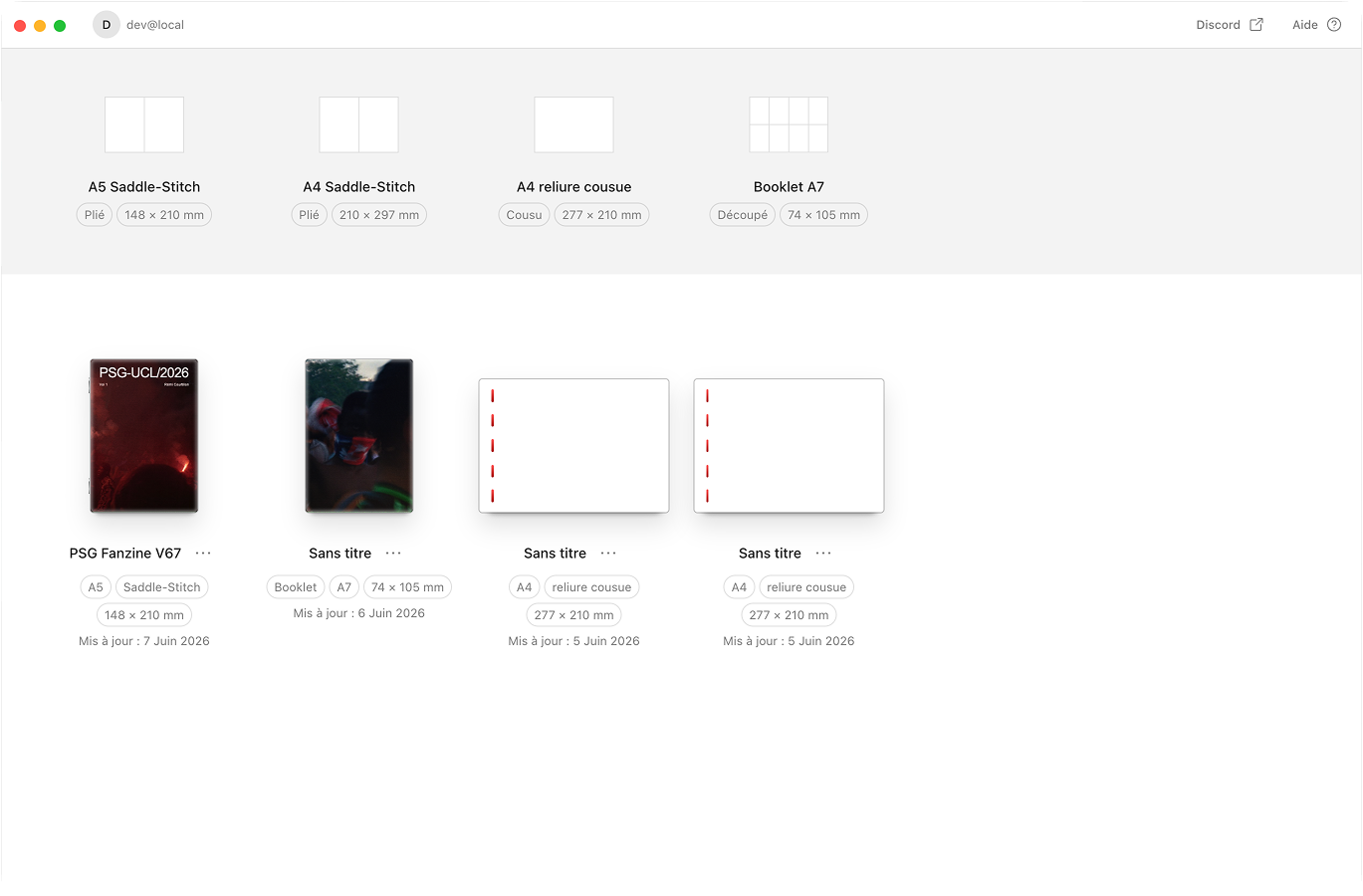
One layout, any format
Most tools lock you to one size. Or they make you redo your layout for every format. Aldo Reborn builds every page on a shared grid. The same templates reflow cleanly from a 74mm A7 page up to A4, square included. And adding a new format or binding never touches the work you already did.
How it works
Formats & bindings, compared
 Aldo Reborn
  InDesign
  Affinity Publisher
  Canva Aldo Reborn
 Frequently asked questions
What formats does Aldo Reborn support?
Seven. Saddle-stitched booklets in A5 (148×210mm), A4 (210×297mm) and Half-Letter (139.7×215.9mm). A single-sheet A7 mini-booklet (74×105mm, 8 pages). And three sewn bindings: A4 landscape, Letter landscape and square (210×210mm).
What bindings can I make?
Three. Saddle-stitch, which is folded and stapled at the spine. Sewn binding, stitched down the left edge. And a one-sheet booklet you fold and cut. Aldo works out the page imposition for each one.
Do I have to redo my layout for each format?
No. Templates sit on a shared grid and reflow to whatever format you pick. The same layout works from A7 up to A4.
Can I make a square zine?
Yes. Square Sewn Binding gives you a 210×210mm page, sewn on the left, printed on landscape A4 sheets. It uses the same templates as every other format.
Does Aldo work with US paper sizes?
Yes. Half-Letter saddle-stitch prints on Letter sheets, and Letter Sewn Binding uses landscape Letter. Both sit alongside the A-series formats.
Will more formats be added?
Yes. Formats and bindings are modular, so new ones can be added later without disturbing your existing projects.
Your zine, your format
Aldo Reborn is out on macOS. One template system, seven formats. 7-day free trial. Then €14.99 once, yours for life.