A photo library that keeps your captions and credits in one place.
Drop your photos in. Organise them. Caption them in batches. Aldo reads the EXIF for you, so the camera, lens and date fill themselves in. Your originals stay untouched.
macOS 10.15 or later.Apple Silicon and Intel.Notarised by Apple.284 MB download.
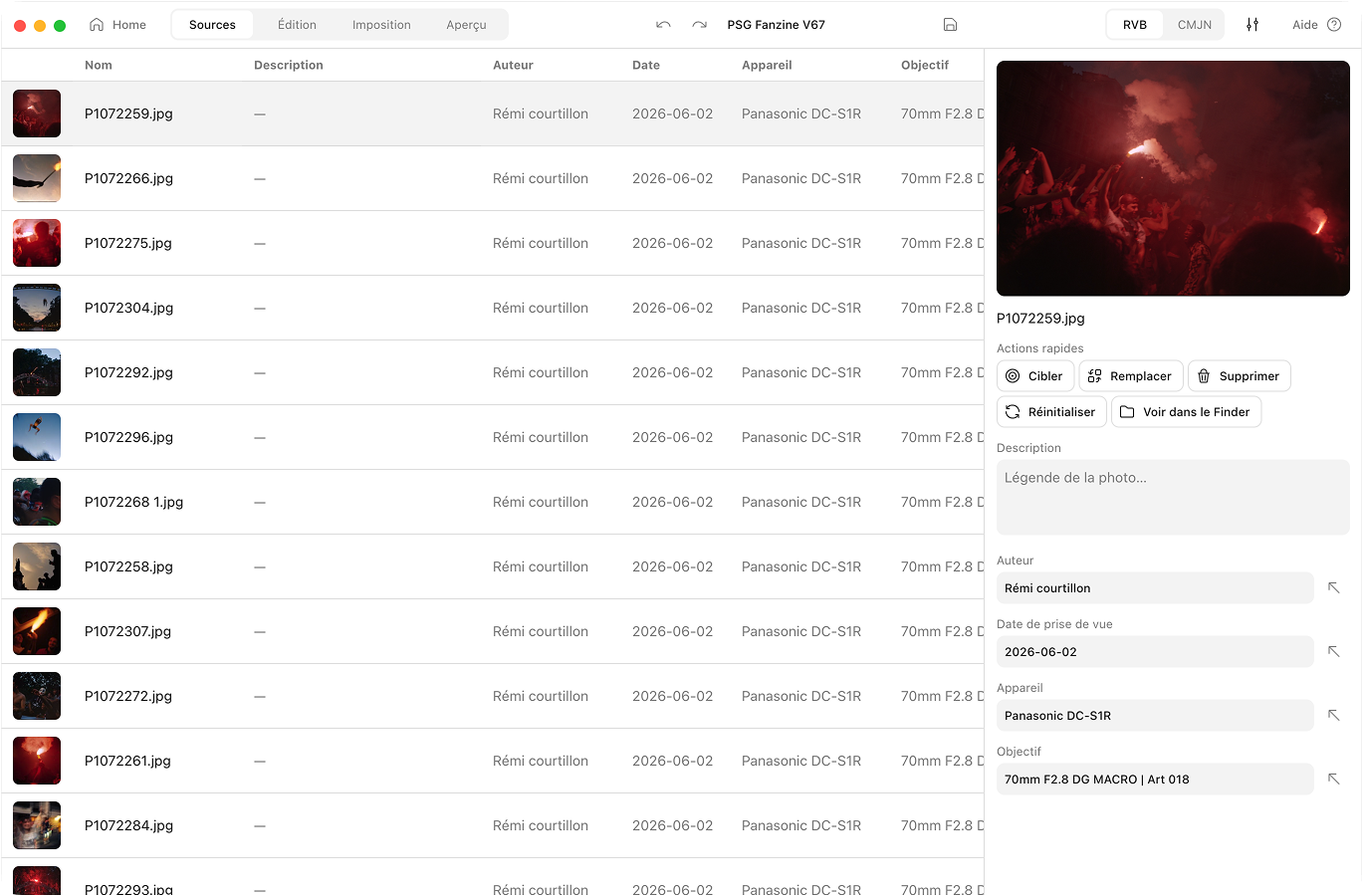
The story behind the photo shouldn’t vanish
Import your photos into most layout tools and the details fall off. The camera, the date, your caption. Gone. Aldo keeps all of it. Every photo carries its own notes. You can edit them in batches. And they can flow straight into the index at the back of your zine.
How it works
Library & metadata, compared
 Aldo Reborn
  InDesign
  Affinity Publisher
  Canva Aldo Reborn
 Frequently asked questions
Does Aldo Reborn read EXIF data?
Yes. EXIF is the hidden note your camera tucks into every photo. On import, Aldo reads the camera, lens and date and fills them in for you. You skip typing the basics.
Will editing captions change my original photos?
No. Your edits are stored inside the project file. They are never written back to your source images. Your originals stay exactly as they were.
Can I caption many photos at once?
Yes. Select a stack of photos and set the caption or credit once. It lands on all of them.
What photo formats are supported?
JPEG, PNG, HEIC, RAW (from most cameras), TIFF, WebP and AVIF, among others.
Can captions appear in the zine?
Yes. Your captions can flow into an automatic index page at the back of the zine.

Keep the story with the photo
Aldo Reborn is out on macOS. Your library, captions and credits, all in one place. 7-day free trial. Then €14.99 once, yours for life.