RGB to CMYK, so your colours print the way you see them.
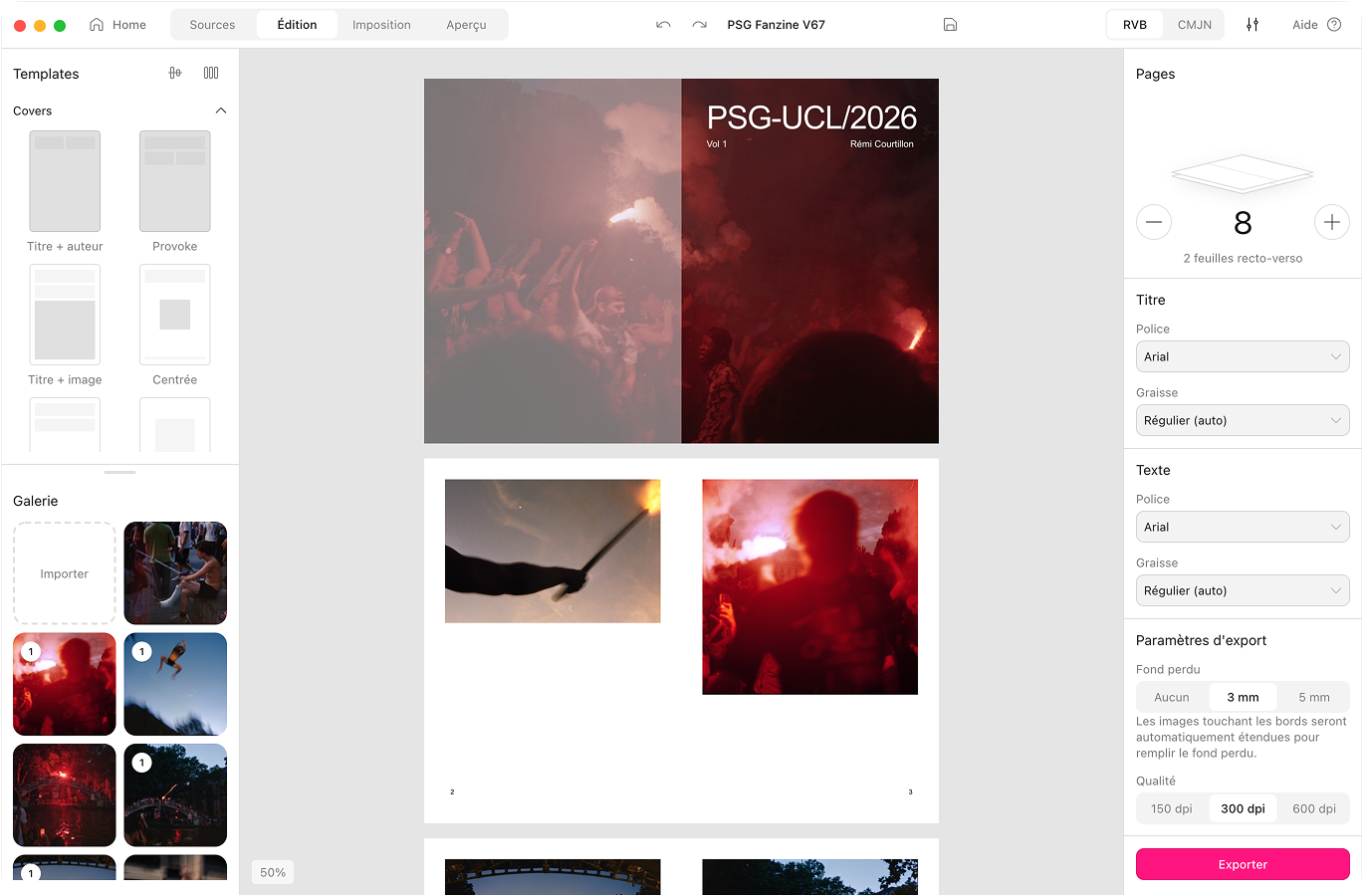
Your screen glows in RGB. Your printer thinks in CMYK. Aldo Reborn translates your photos with a real FOGRA39 profile and shows you a soft-proof first. What you see is what prints.
macOS 10.15 or later.Apple Silicon and Intel.Notarised by Apple.284 MB download.
Why prints come out dull and muddy
Your photos live in RGB. That is light, millions of glowing colours. A printer only speaks CMYK, four inks and nothing more. Hand it raw RGB and it has to guess the translation. Blacks go muddy. Electric blues fall flat. A bright sunset comes back the colour of weak tea. Aldo Reborn does the translation properly, with the profile your printer expects.
How it works
CMYK & print export, compared
 Aldo Reborn
  InDesign
  Affinity Publisher
  Canva Aldo Reborn
 Frequently asked questions
What is CMYK and why does it matter for printing?
Your screen makes colour by mixing red, green and blue light. That is RGB. A printer makes colour by mixing cyan, magenta, yellow and black ink. That is CMYK. They are two different languages, and ink cannot reach every colour a screen can. So a photo has to be translated with care, or it prints dull. Aldo Reborn does that translation with the profile printers expect.
Will my colours change when I convert to CMYK?
A few very saturated screen colours, like electric blue or neon green, sit outside what ink can reach. Those shift a little. Aldo uses a perceptual conversion, so your photos still look natural. The soft-proof shows you what to expect before you commit.
Which colour profile does Aldo Reborn use?
Coated FOGRA39 (ISO 12647-2). It is the common standard for European printers. Aldo embeds it directly in the exported PDF as an output intent.
Do I have to convert my photos to CMYK myself?
No. Drop in your RGB photos. Aldo converts them on export. There is no trip through Photoshop and back.
What is a soft proof?
A soft-proof simulates on your screen how the colours will look once they are printed in CMYK. You can catch a dull or shifted colour before you print, not after.
Print colours you can trust
Aldo Reborn is out on macOS. Your photos become CMYK on export, so the print matches what you saw. 7-day free trial. Then €14.99 once, yours for life.