See your finished book in 3D before you print a single page.
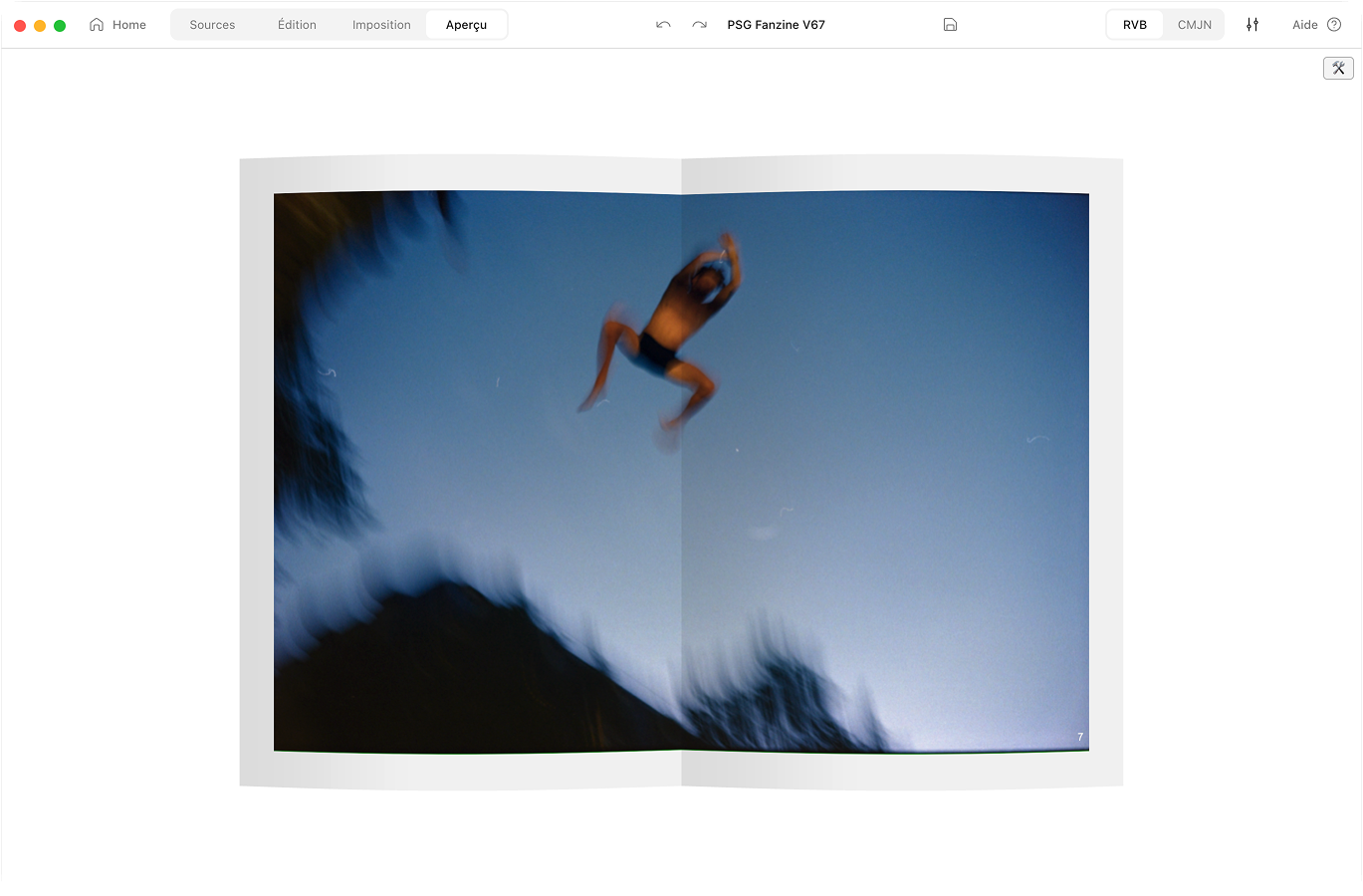
Flip through your zine in 3D before you print it. Curved pages, real paper, the staples and all. It’s rendered from the exact PDF you’ll export, so no more printing a copy just to check.
macOS 10.15 or later.Apple Silicon and Intel.Notarised by Apple.284 MB download.
Stop printing just to check
A flat layout on screen never tells you how the real thing will feel. How a spread sits across the fold. Whether the cover actually works. So you print a copy, spot the problem, and print another. Aldo renders your zine as the finished, printed book in 3D. You flip through it before a single sheet comes out of the printer.
How it works
Preview & layout, compared
 Aldo Reborn
  InDesign
  Affinity Publisher
  Canva Aldo Reborn
 Frequently asked questions
Is the 3D preview accurate to the print?
Yes. The pages you see in 3D are rendered from the exact PDF you export. What you flip through is what comes out of the printer.
Can I flip through the pages?
Yes. Scroll to turn the pages one by one. They curve and bend at the binding, like real paper.
What technology powers the 3D view?
It’s real-time 3D running inside the app. Textured paper, soft lighting, staples you can see.
Can I still edit in a simple 2D view?
Yes. There’s a clean 2D canvas for editing page by page. Switch to the imposition or 3D view whenever you like.
Does it show the cover and binding?
Yes. The front and back covers wrap correctly. The staples show too, so you can judge the finished object before you print.

Hold it before you print it
Aldo Reborn is out on macOS. Flip through your zine in 3D before you print it. 7-day free trial. Then €14.99 once, yours for life.